Beginner's Guide to Ultralight Laptops: What to Check Before You Buy
A laptop only counts as portable if you are still glad to be carrying it at four in the afternoon. That is the test most spec sheets quietly fail. Manufacturers quote a weight, a battery figure and a screen size, and somewhere between those three numbers the actual experience of using the machine disappears.
This guide is for anyone shopping for a light laptop for the first time. No benchmark charts and no brand cheerleading — just the handful of things worth checking, in the order that saves you the most regret.
Start With a Weight Budget, Not a Weight
“Light” means nothing on its own. A 1.6 kg machine is featherweight next to a gaming laptop and a brick next to a 900 g ultraportable. So decide on a number before you start browsing, and make it a number for the whole bag rather than the computer alone.
Put your current bag on a kitchen scale: laptop, charger, cable, sleeve, dongles, notebook, water bottle. Then work out what you would be willing to carry for an hour on your feet. Most people find that somewhere around 1 kg is the point where a laptop stops being a decision — it goes in the bag and you forget it. Between 1.2 and 1.4 kg is still comfortable for a commute. Past 1.6 kg you will start leaving it at home, which defeats the purpose.
The charger is the part everyone forgets. A compact gallium-nitride (GaN) USB-C charger weighs roughly 100 to 200 g; an older proprietary power brick can be two or three times that, plus a thicker cable. If two laptops are within 150 g of each other but one charges over USB-C, the USB-C one usually wins in real life — you can leave the brick at home and top up from a phone charger.
Screen Size: Your Biggest Lever
Screen size drives weight, footprint and cost more than any other single choice, so pick it deliberately rather than by habit.
13 inches and under
These are the lightest and smallest options, often landing close to 1 kg. The trade-off is working space: a spreadsheet with several columns open gets cramped, and side-by-side windows are a squeeze. Fine for writing, email, note-taking and travel.
14 inches
This is where most of the sensible compromises live. Thanks to slimmer bezels, a modern 14-inch laptop often has almost the same footprint as a 13-inch model from a few years ago, but noticeably more room to work. Weight usually sits around 1.1 to 1.4 kg.
15 inches and up
Worth considering only if the laptop is genuinely replacing a desktop. A 15- or 16-inch machine is rarely under 1.5 kg, and the bag, the sleeve and the charger all grow with it.
Two details matter as much as the diagonal. First, aspect ratio: a 1920×1200 panel is 16:10 and gives you extra vertical space, which is exactly what documents and web pages need. Second, brightness and finish. Around 300 nits is usable indoors; if you plan to work near windows or outdoors, look for 400 nits or more and a matte coating rather than glossy glass. Also check the actual width and depth in centimetres — it tells you more about whether the laptop fits your bag than the screen measurement does.
Ports: Count What You Actually Plug In
Thin laptops lose ports first. Before you fall for a design, spend one ordinary day writing down everything you connect. A typical list looks like this:
- Charger (USB-C is now the norm, and ideally on either side)
- External monitor or projector (HDMI, or USB-C with DisplayPort support)
- USB-A stick, mouse receiver or older accessories
- SD card reader, if you handle camera files
- Headphones (the 3.5 mm jack is disappearing from some models)
Once you have that list, compare it honestly to the machine. A USB-C hub can cover the gaps, but a hub weighs 80 to 150 g, costs extra, occupies a port and is one more thing to lose in a hotel room. If you need HDMI twice a week, buy a laptop with HDMI.
Also check which USB-C you are getting. Thunderbolt or USB4 ports handle fast drives, external displays and docking; a plain USB-C port may only do data and charging at modest speeds. The connector looks identical, so read the spec line by line rather than assuming.
Battery Life: Read Past the Headline Number
Battery capacity is measured in watt-hours (Wh), and for a given efficiency level, more watt-hours means more runtime and a little more weight. Thin laptops commonly sit between 50 and 70 Wh. Whatever the marketing claims, assume you will get noticeably less in real use: screen brightness, a video call, a dozen browser tabs and Bluetooth all take their cut. A manufacturer's “up to” figure is usually measured under gentle conditions.
Three practical questions are more useful than the headline:
- Does it charge over USB-C? One charger for phone and laptop is a real weight saving.
- How fast does it recharge? Half an hour on a socket before a meeting changes how you work.
- Can the battery be replaced? Batteries age; a model with a serviceable battery lasts years longer.
One general note worth knowing if you fly: lithium batteries are capped for air travel, with 100 Wh being the common carry-on limit. Nearly all ultralight laptops sit well under that, but check the figure if you are considering a large power bank too.
Build Materials: Light Without Feeling Fragile
Material choice explains much of the price gap between two laptops of similar weight.
- Aluminium is rigid and feels premium, but it is dense. Expect a slightly heavier machine.
- Magnesium alloy is lighter than aluminium for similar stiffness and is common in business models.
- Carbon fibre is very light and strong, though some people find it feels plasticky under the palms.
- Polycarbonate and other plastics are the lightest and cheapest option; quality varies enormously between models.
You cannot judge this from a spec sheet, so handle the machine if you can. Press firmly in the middle of the keyboard deck and see whether it dips. Hold the lid by one corner and twist gently; a flimsy hinge or a flexing panel will show itself immediately. Some makers advertise testing against a durability standard such as MIL-STD-810H — useful as a signal, but not a substitute for trying the thing.
While you are at it, check what you cannot upgrade. Many ultralights solder the memory down, so buy the RAM you will want in three years rather than the minimum that works today. Storage is more often replaceable, but not always.
The Details You Will Touch Every Day
Thin chassis force compromises in the keyboard. Key travel of roughly 1 to 1.5 mm is normal on ultralights, and some models go shallower still, which suits fast typists and frustrates heavy-handed ones. If you write for a living, try the keyboard before you buy, or buy somewhere with an easy return policy. Check the trackpad size and whether a firm click registers near the edges.
Then think about heat and noise. A very light laptop has little room for cooling, so a processor that runs hot will either slow down under sustained work or spin up a small fan that you will hear in a quiet room. If your work is browsing and documents, this rarely matters. If it is photo editing or long video calls, read reviews that mention sustained performance and fan noise, not just short bursts.
A Short Checklist Before You Pay
Bring the shortlist down to two or three machines and run through this in order. It takes ten minutes and prevents most of the regrets people have a month after buying.
- Weigh the laptop, charger and sleeve together — is the total within your budget?
- Confirm the screen size, aspect ratio and brightness match how and where you work.
- Match your daily port list against the machine, and price a hub if there is a gap.
- Check battery capacity in Wh, USB-C charging, and whether the battery is serviceable.
- Press the keyboard deck, twist the lid, and type a paragraph if you can.
- Buy enough RAM now, since you probably cannot add it later.
- Check the return window before ordering online, in case the keyboard or the fan disappoints.
Choose the machine that disappears into your bag and does not make you think about it again. Everything else is a detail you can work around.
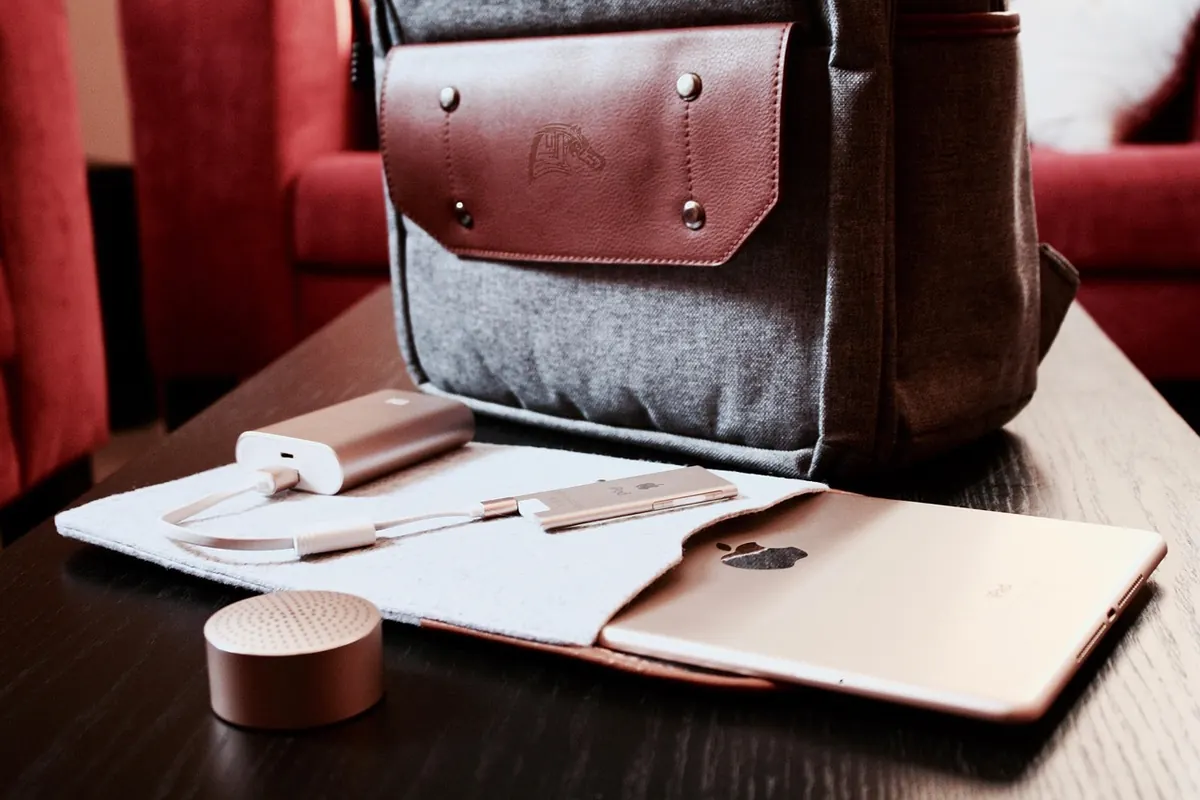
Photo: StartupStockPhotos / Pixabay